简体中文
EnglishPixSmart Live Assistant
OBS Virtual Camera Plugin
A better beauty/background tool than streaming companions
 Having trouble installing? Click here for solutions
Feature Introduction
FEATURES1. Advanced Beauty
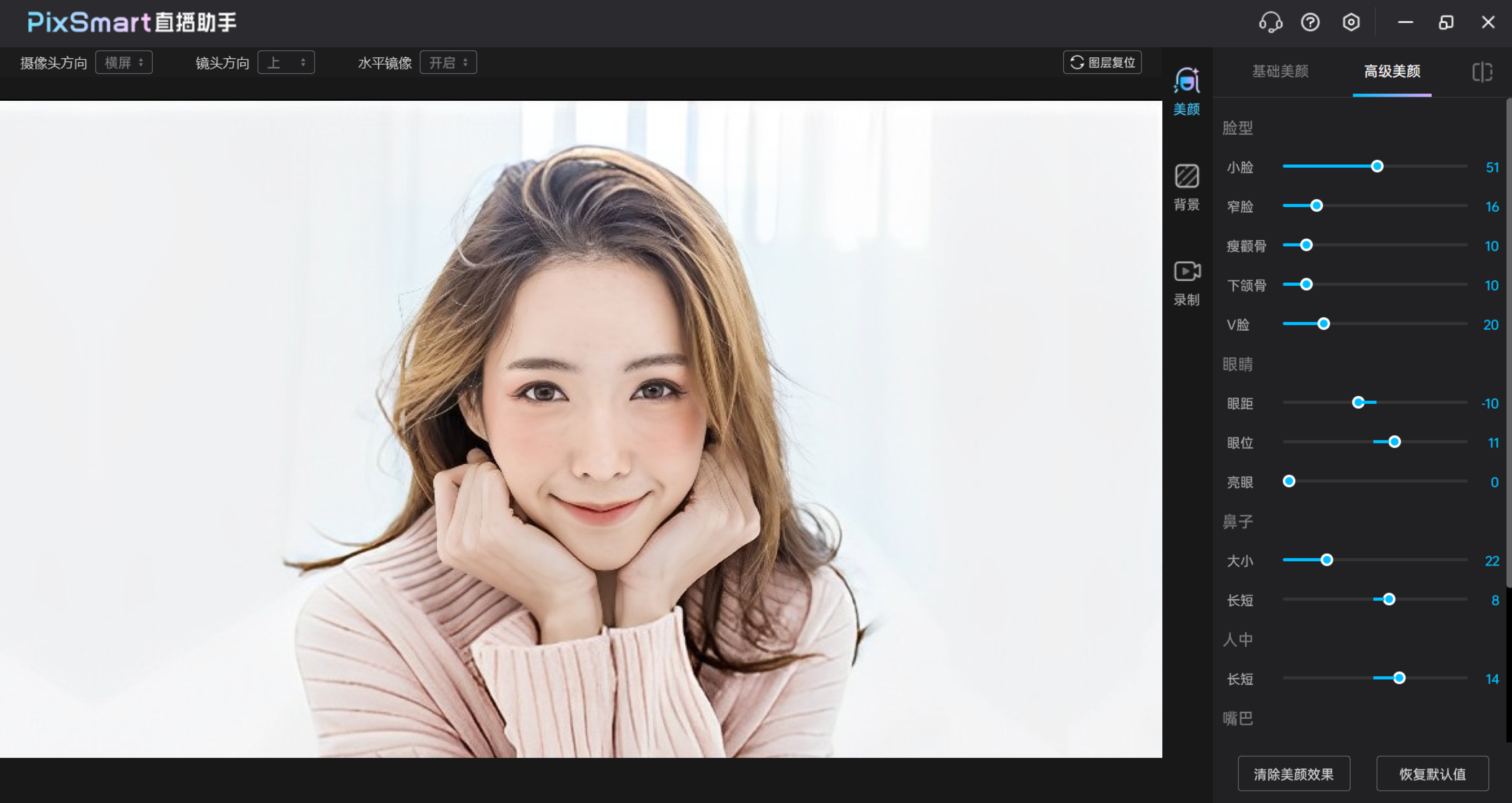
- Exclusive AI fill light function, beautiful even without lighting
- 24 fine-tuning beauty options, including facial reshaping, contour adjustment, dark circles, nasolabial folds, and other detail enhancements
2. Virtual Background
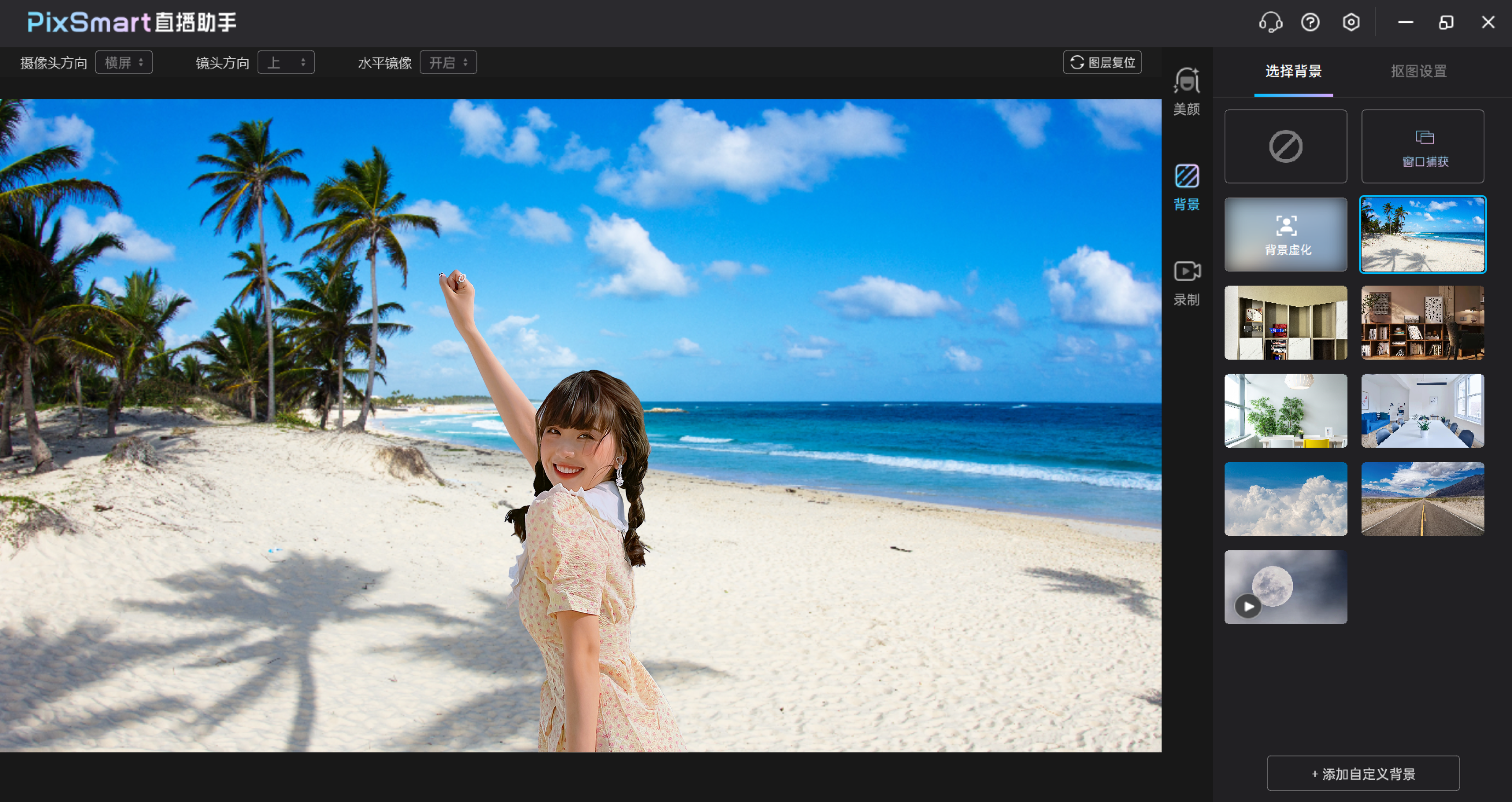
- Supports green screen/blue screen/AI real-time matting without green screen, freely replace image or video backgrounds
- Supports multiple people and complex backgrounds, hair-level segmentation, more natural and smooth edges
3. Real-time Recording
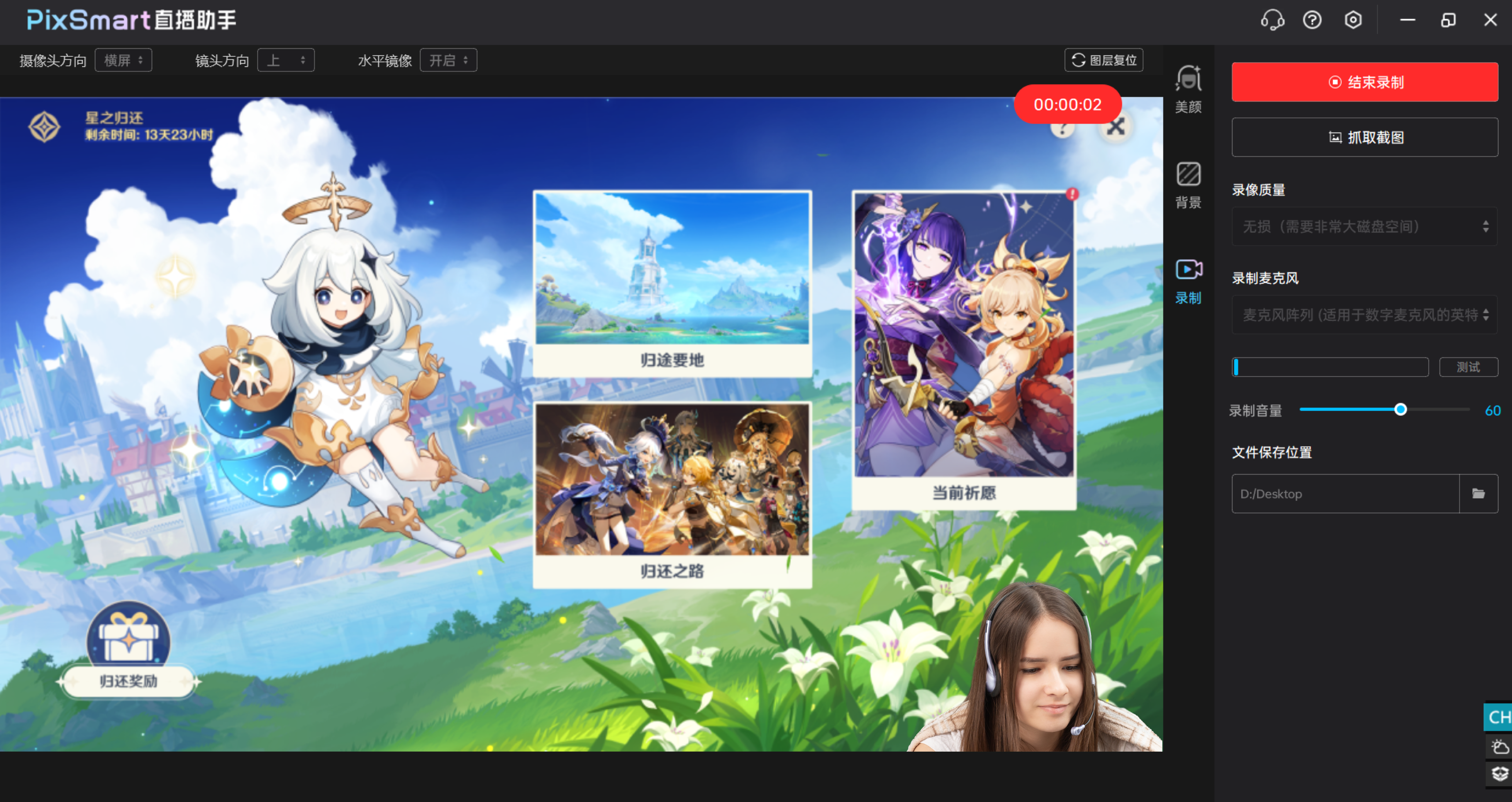
- Supports recording PPT, game screens as background, freely adjust camera and background size ratio
- Supports HD/Blu-ray/lossless quality screen recording, preview effect is the final output
Tutorial
USE THE TUTORIALInstructions:
- Open PixSmart Live Assistant, adjust beauty and select green screen background effects as needed
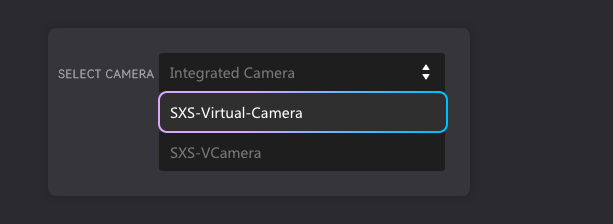
- Open video conferencing or live streaming applications, select the camera named SXS-Virtual-Camera, and you can sync the video to your stream